Introducing Detail Preservation v2

Noah Bjorner
Mar 5, 2026
3 min read
Noah Bjorner
Mar 5, 2026
3 min read
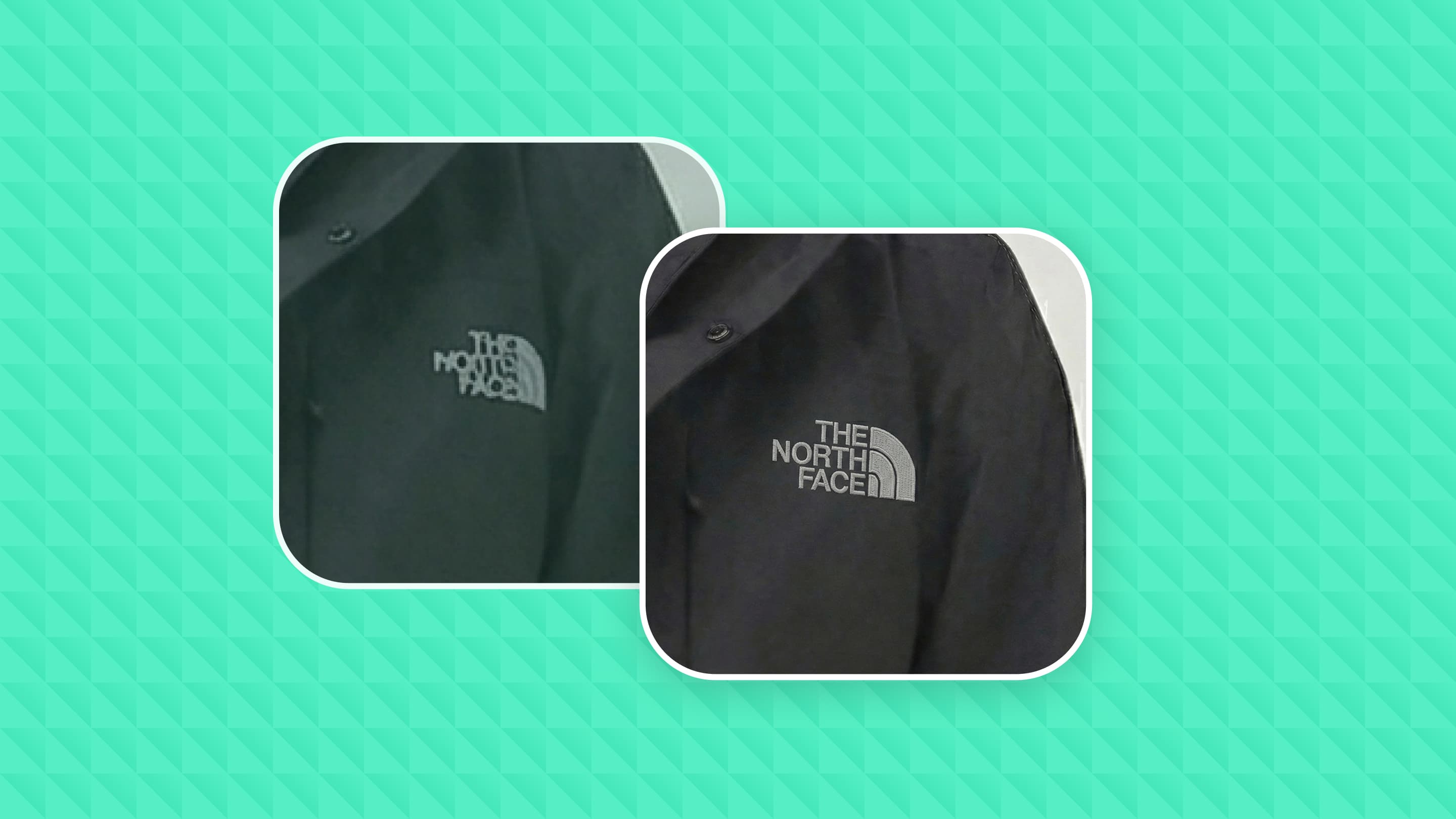
AI image generation is extraordinary now. But the details are still broken. Logos come out garbled, product labels are unreadable, text looks like nonsense. We rebuilt Detail Preservation to fix this. v2.0 is out today.
You generate an image for a product shoot or an ad. It looks great. Then you zoom in and the logo is wrong. The text on the packaging doesn't say what it should.
For personal projects, whatever. But if you're making ads or product photos, those broken details are a dealbreaker. Customers notice. It immediately reads as AI-generated and cheap.
The only fix before was opening Photoshop and doing it by hand. That's slow, you need to know what you're doing, and it kind of defeats the purpose of using AI in the first place.
Detail Preservation looks at your image, finds the broken details, removes them, and regenerates them correctly. It does this on its own. You give it an image, it gives you back a fixed one.
It handles things like logos, text, product labels, and other fine details that image generators tend to mess up.
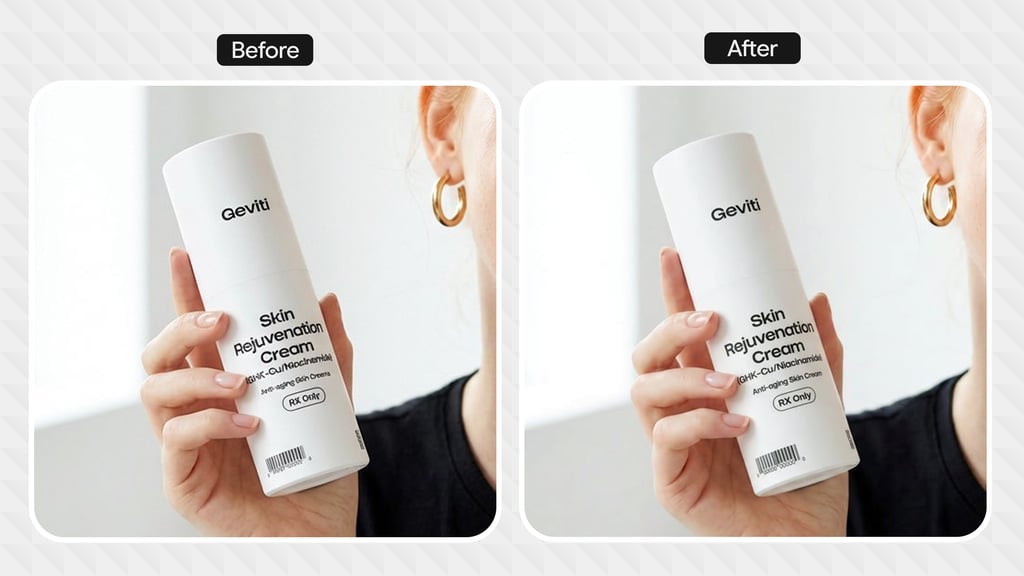
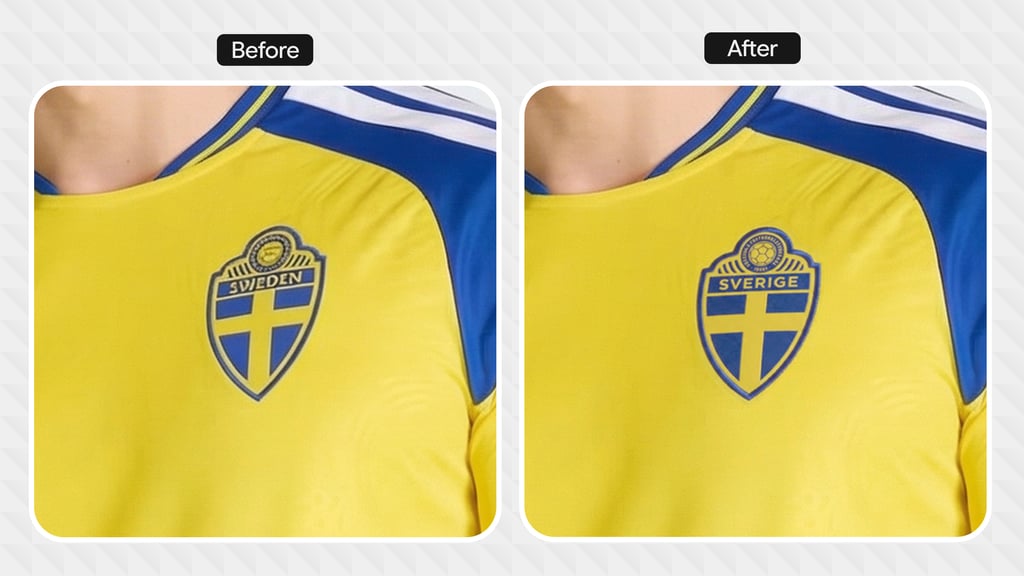
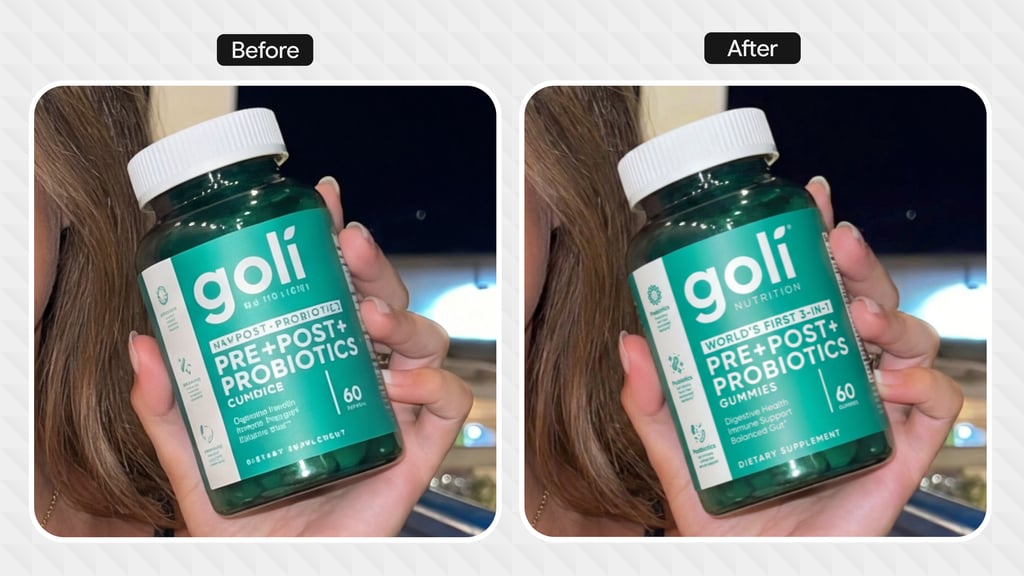
v2.0 is a big improvement over v1.0. But it still makes mistakes sometimes.
Over the next few months we're focused on two things. Getting the quality up based on what we're hearing from customers. And bringing the cost down so you can run it on every image without worrying about it.
We have a bunch of improvements in the pipeline that didn't make it into this release. Looking forward to shipping those in v3.
Available now via our API. If you need it at enterprise scale, reach out and we'll help you set it up.
Detail Preservation v2.0 is available now in the API and in the Playground.